Icon of program: TransparentDock

TransparentDock for Mac

  • Trial version
  • 4.6
    1
  • 2.7K
  • V2.3.9

Customize your Dock

Leopard users aren't the only ones who can customize their Dock. Users of older Mac operating systems wanting to tweak it should look at TransparentDock.

Top Recommended Alternative

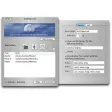
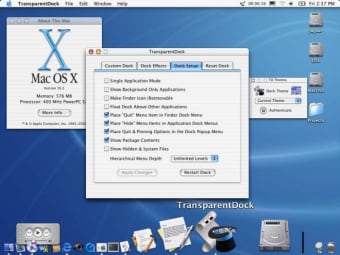
As the name implies, TransparentDock allows you to set levels of transparency (up to seven) to your Dock. But it doesn't stop at that. You can set one of the 18 different colors available, change the color of the outer and inner borders, and even of the "active application" triangle.

Really picky users will also be able to adjust the "poof" that appears when you remove an item from the Dock. TransparentDock includes a number of other features, like semi-transparent icons, magnifying and a drop shadow.

Users will also appreciate being able to change the font size, Dock placement and pinning. You can also create and save your own theme using the palette.

TransparentDock has two major drawbacks though. The application is not a Universal Binary yet, meaning it will only run on Power PC Macs.

Also we don't recommend using it if you have Mac OS X 10. 4. 9 or above, as the application will be particularly unstable.

TransparentDock is a great tool to fully customize your Dock if you have between Mac OS X 10.

  • Pros

    • Effects
    • Themes
    • Fully customize Dock
  • Cons

    • Doesn't work properly above Mac OS X 10.4.8
    • Not Universal Binary
 0/1

App specs

  • License

    Trial version

  • Version

    2.3.9

  • Latest update

  • Platform

    Mac

  • OS

    Mac OS X

  • Language

    English

  • Downloads

    2.7K

  • Size

    715.38 KB

  • Developer

Program available in other languages


Icon of program: TransparentDock

TransparentDock for Mac

  • Trial version
  • 4.6
    1
  • 2.7K
  • V2.3.9

User reviews about TransparentDock

Have you tried TransparentDock? Be the first to leave your opinion!

Add review

You may also like

Explore Apps

Latest articles

Laws concerning the use of this software vary from country to country. We do not encourage or condone the use of this program if it is in violation of these laws.
Softonic

Is TransparentDock safe?

100/100

Score result: Clean

This file passed a comprehensive security scan using VirusTotal technology. It is safe to download.

  • Virus free
  • Spyware free
  • Malware free
  • Verified by Security Partners

    VirusTotal logo

Scan Info

Last scan
Tuesday, November 28, 2023
Scan provider
VirusTotal · Full report

File Integrity

File
TransparentDock2.3.9.dmg
SHA256
5ad265c4de0ded7611729887a3986ca6af98c90729219a00593eec9801d3d35f
SHA1
438b5f707124b7688892c93e0dcd40aa4d2ecec6

Softonic security commitment

TransparentDock has been thoroughly scanned by our advanced security systems and verified by industry-leading partners. This file comes from the official developer and has passed all our security checks, showing no signs of viruses, malware, or spyware. For more information, visit our Security and Trust Center